wopper
CCL 3 Documentation
The Essential Cook Book
Concept
Links
App concept: Canva
Figma prototype: Figma
APK file: Go to APK
Final Presentation: Canva Final
Repository link: Link to GitLab Repository
Concept summary
- Problem: recipes are spread across notes, screenshots, and links.
- Goal: keep recipes in one place and make cooking easier with timers.
- Main flows: browse -> search/filter -> open recipe -> adjust servings -> follow steps with timers.
- Target users: people who cook at home and want quick access to saved recipes.
Development
Implemented features
- Create, edit, and delete recipes (ingredients, steps, notes, image).
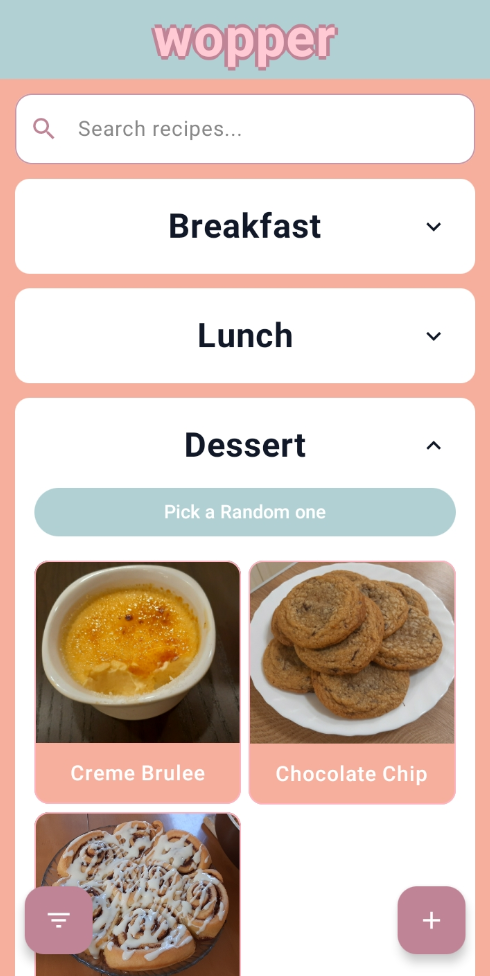
- Browse recipes grouped by meal type.
- Search by recipe name.
- Filter by categories.
- Pick a random recipe within a meal type.
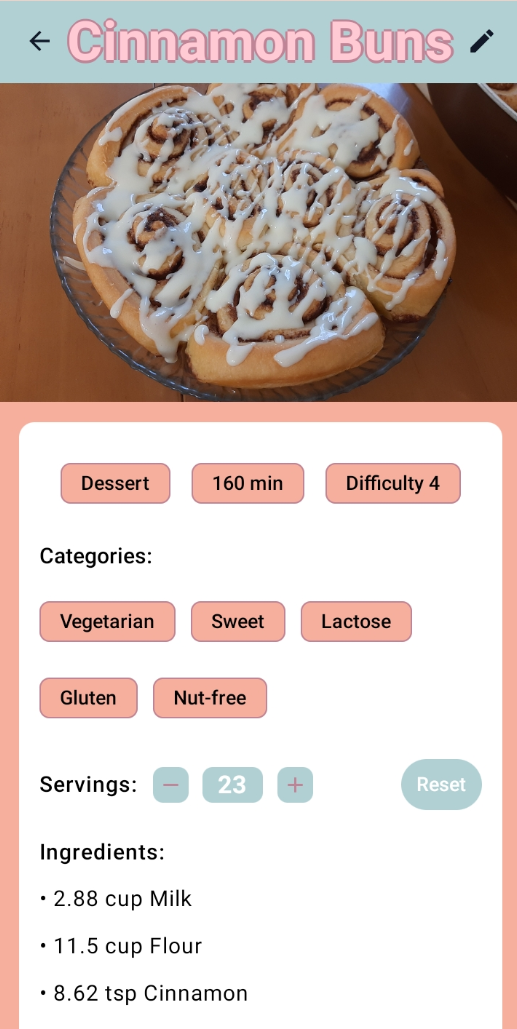
- Adjust servings and automatically scale ingredient amounts (when numeric).
- Start a timer from a step, or set a manual timer.
Code & APK
Repository link: Link to GitLab Repository
APK file: Download wopper APK
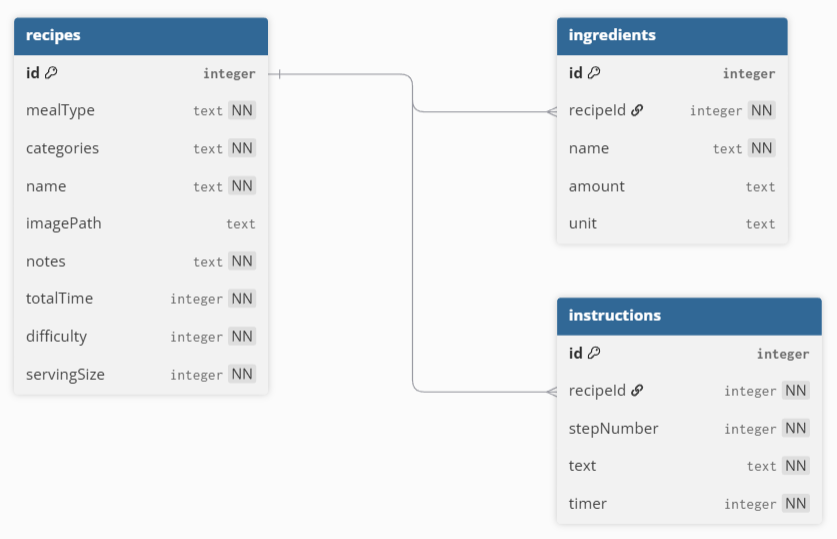
Database (SQLite)
The app uses SQLite to store recipes, ingredients, and instructions. Here you can see the ERD of our database:
How the final app matches the concept
- Central recipe storage matches the “one place for recipes” goal.
- Search & categories support fast retrieval while cooking.
- Timers support step-by-step execution and reduce context switching.
- Servings scaling supports flexible cooking for different group sizes.
Usability test
Test plan
All of our usability tests were conducted as follows:
- Participants were asked to fill out a consent form
- Then they fill out a demographic questionnaire
- After that, they were introduced to our app and met with 4 tasks to complete
- After each task, they were asked to answer an SEQ
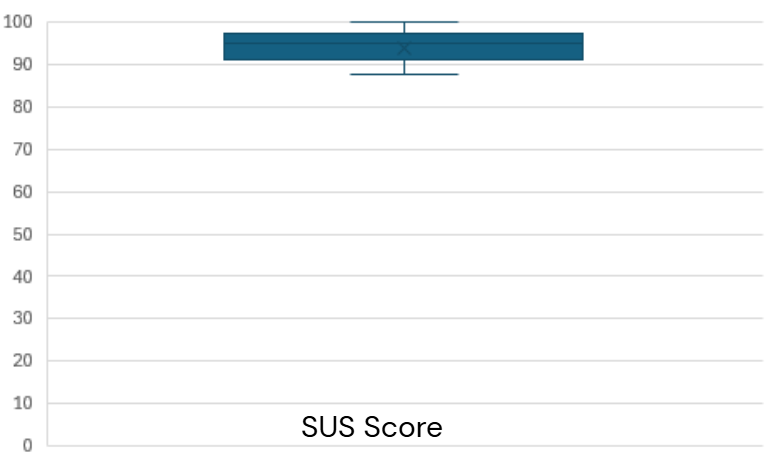
- Finally, they were asked to fill out a final questionnaire with SUS and open-ended questions
The following setup was applied:
- Andras walked the participants through the tasks
- Lilia took notes on the observation
- The forms for the test were a Google Form
Tasks:
- Create a recipe
- Find a recipe
- Edit a recipe (often specified to edit ingredients or serving sizes)
- Delete a recipe
Questions and Variables:
Questions: Are all features/buttons visible and easy to understand? Is the app designed well and intuitive enough for users to navigate?
Variables: Feature Visibility, Usability, Intuitiveness
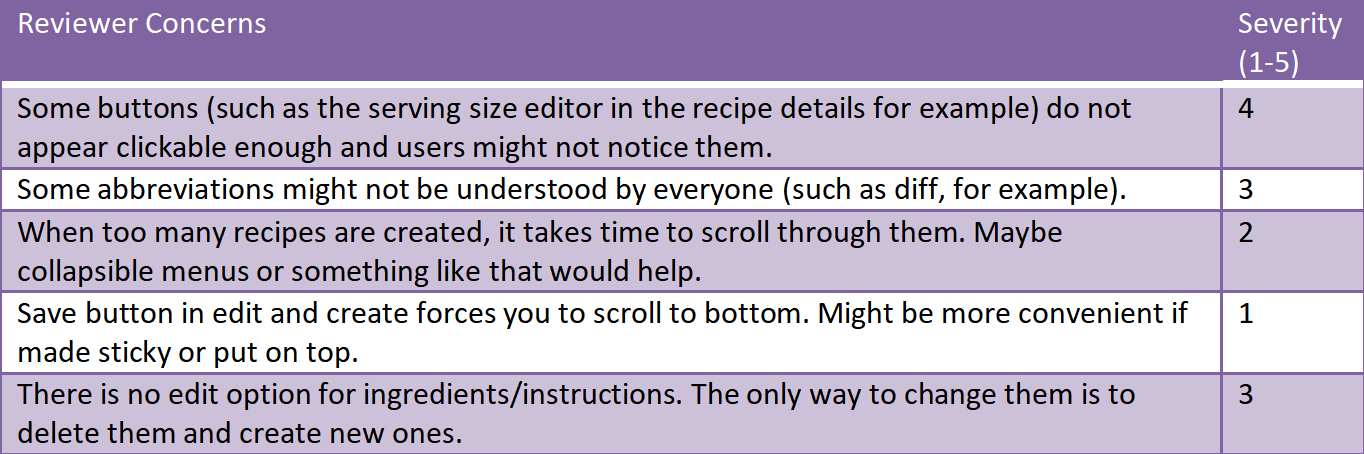
Heuristic Evaluation of the Initial Prototype:
Participants
Number of test subjects: 10
Devices: Lilia's Android phone
Session length: about 15-20 minutes each
Average SUS score: 94
Results summary
We got a lot of valuable feedback from our testers. More specifically, we were told that some buttons did not look clickable and the ingredients addition menu was not intuitive enough. We fixed these issues and did more user tests to verify the success of the changes. Also, we were given ideas which we implemented such as collapsable menus, and also some which we are yet hoping to implement.
Notes from the User Tests: User Test Notes Doc
Reflection
Andras Lukats
Challenges: The UI structure in Android Studio, and cooperative work with Git.
Contributions: Most of the design and timer implementation.
What I learned: Frontend structure, and design implementation.
Future improvements: More easily understandable icons and buttons for the users
Lilia Dimitrova
Challenges: We struggled a lot with Git in the beginning and also another issue we faced was with GitPages as it refused to automatically update itself on commits because our folder name was pages instead of public. We fixed this by chaning it to public, but not without spending a full day on this.
Contributions: I worked on the database and most of the functional code (that is without the design or anything like that). I also set up GitPages.
What I learned: I learned a lot of new things through this project and I'm overall happy with the way it ended up being. I feel a lot more confident in my ability to work with Git, Android Studio, and also in the sphere of app development.
Future improvements: There are a couple of things I would've liked us to add in the future, such as a savability feature for homepage column collapse states, also the option to print/export and import recipes CSVs and pdf files.
End Results